Distance-flow
This is an entry for GMTK Game Jam 2026.
A relaxed 4-day game jam, making a game from scratch.
Keep the flow til' you reach your destination.
It's time for a test run! This fancy new prototype engine should get us to the next town over, that is... if you keep it in check with consistency~

At least it's a more friendlier engine than the last time...
Let's be fast and try to get to the end with the least amount of rotations!
Controls:
The goal: Get to 0 distance in as few rotations as possible.
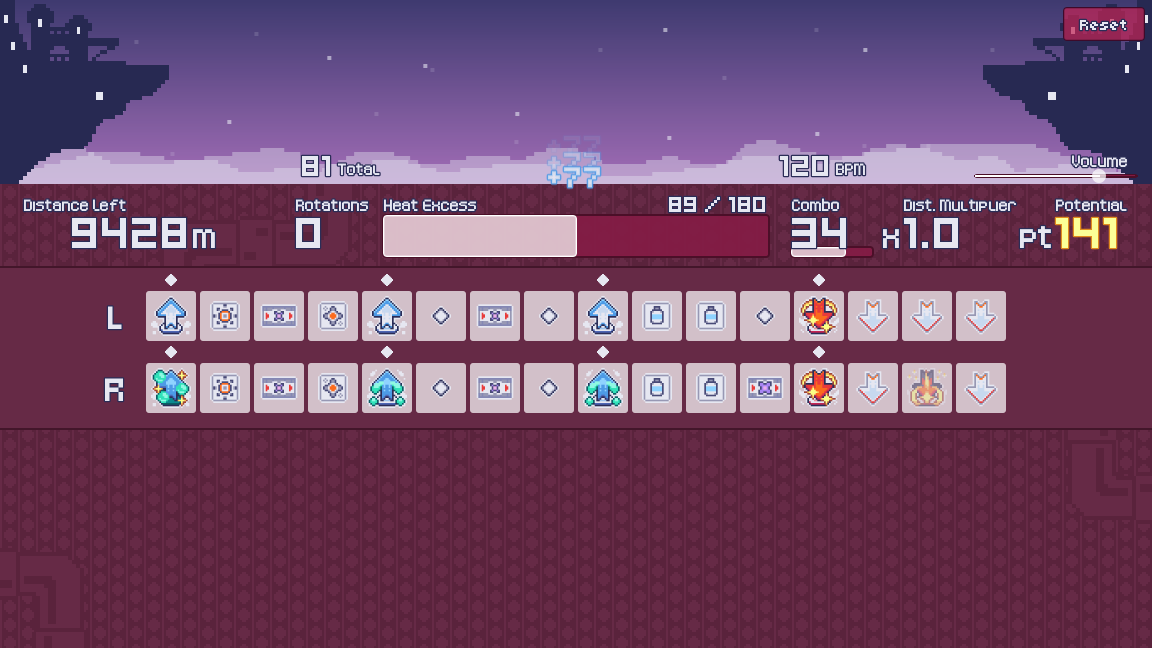
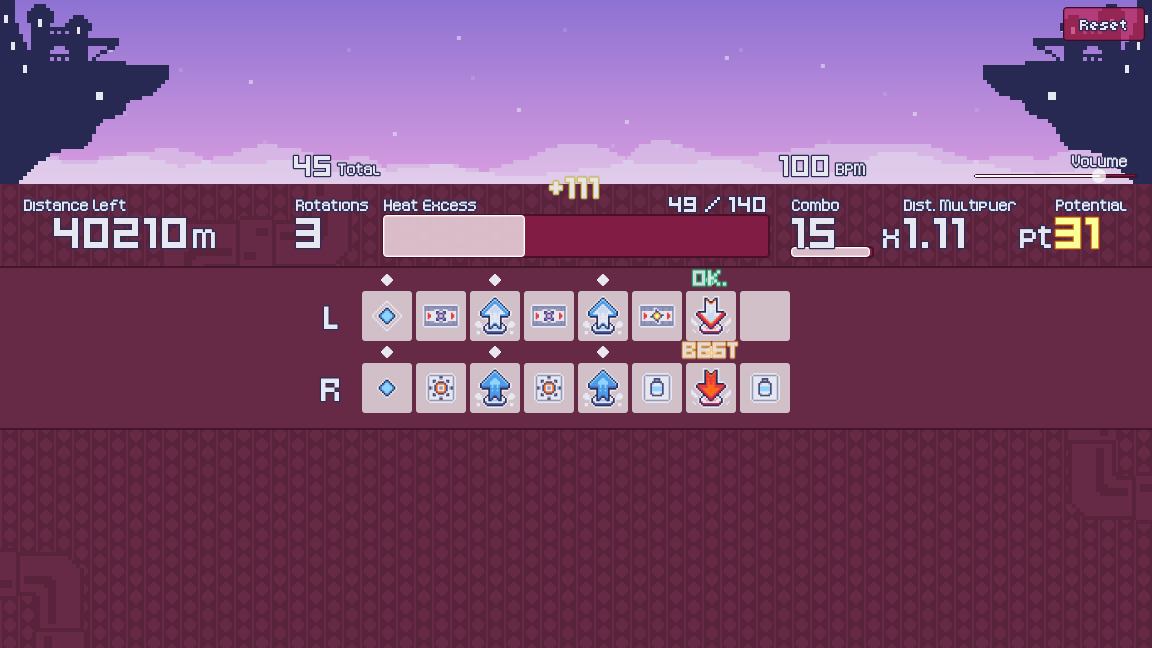
1. Rotation Phase:

Like a rhythm game, tap your inputs along the beat.
Mis-inputs will not be punished. Try to get as many BESTs as you can than OKs.
Once you run out of rotations or if you overheat, the rotation phase ends and you'll shift to the potential phase.
= - = - = - = - = - = - = - = - = - = - = - = - = - = - = - = - = - = - = - = - = - = - = - = - =
 Keyboard & Mouse:
- WASDQE - Activate Upper Lane (locked at first)
- Mouse Buttons / Arrow Keys / IJKLUO / Space - Activate Lower Lane
- Bug: ...except the right arrow key (→)
 Controller:
Note: The UI is not designed for the controller, use the mouse in the next phase.
- Arrow Buttons + LB - Activate Upper Lane (locked at first)
- Face Buttons (ABXY) + RB - Activate Lower Lane
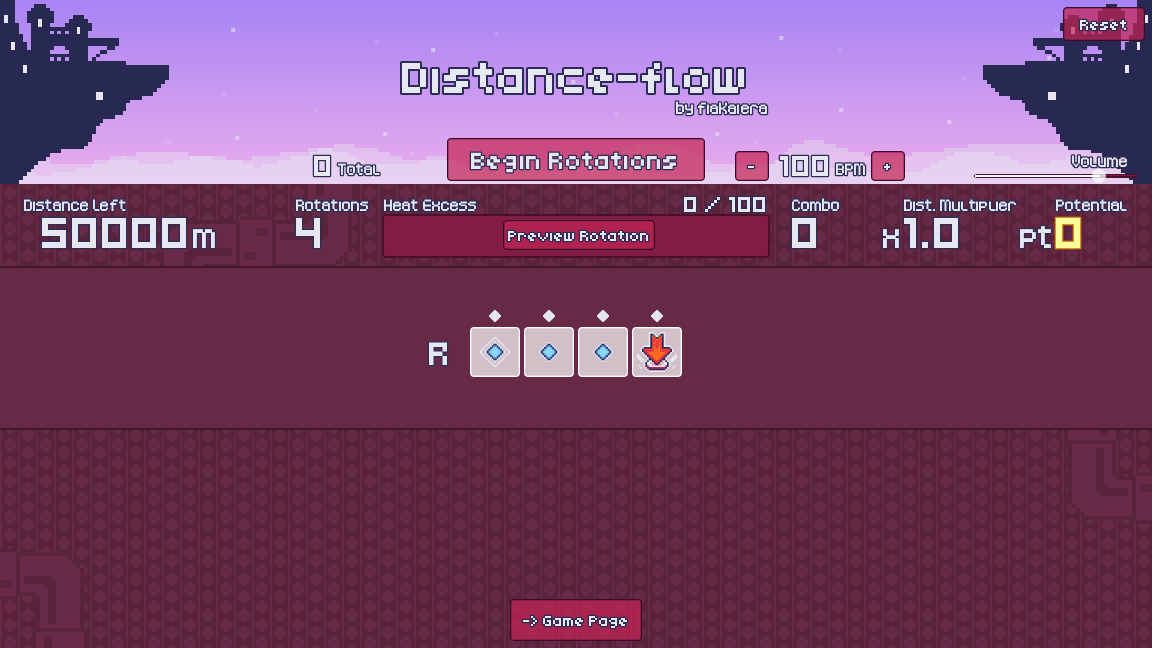
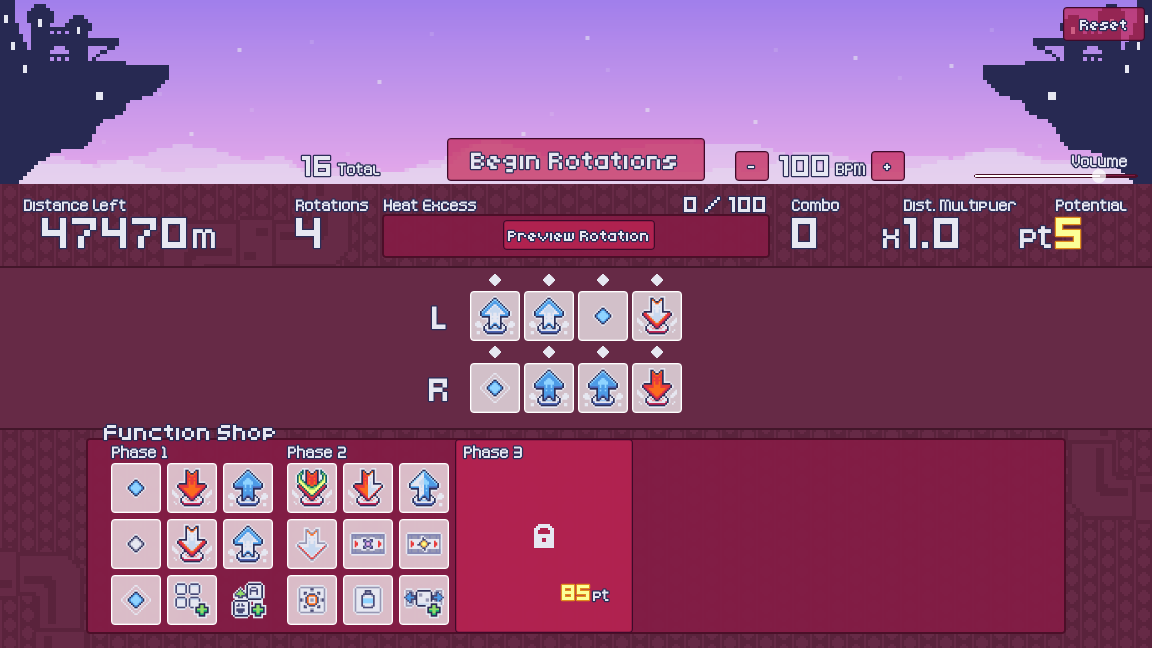
2. Potential Phase:
Spend potential you earned, to add functions to the engine.
Click on a slot to swap or buy functions for the engine.
Press "Begin Rotations" when you are satisfied and go back to the rotation phase.

NOTE: Any function you buy will overwrite the slot you select without confirmation.
= - = - = - = - = - = - = - = - = - = - = - = - = - = - = - = - = - = - = - = - = - = - = - = - =
Each function has its own distance tread, heat value and effect:
-
 Distance tread is strictly in "BEST [OK]" format. No randomization involved.
- TAP: Makes sound, needs an input to take effect
- S. TAP: Tap, no sound
- TICK: Passive, makes sound
- SILENT: Passive, no sound
NOTE: You can adjust the BPM while in the potential phase to make it faster or slower to your liking, but it will have no effect on gameplay other than speed.
Author's Note: Apparently this description has been overwhelming to one person's feedback during the jam, so I really tried to make it more readable by not making it compact.
The game is currently going under heavy re-work to fix timing issues brought over during the jam. Stay tuned for updates!
KNOWN BUGS: (full changelog)
✅ = fixed, but not updated yet due to timing rework in progress
- Function: Some duration-based functions should no longer bleed into the preview/next slot based on your timing
- Input: Multi-tapping a function in the current slot is no longer possible (more obvious at low BPM)
- ✅ Input: LMB is somehow mapped to double-click (functionally not noticeable)
- ✅ Input: The right arrow key (→) is now mapped
- ✅ Shop: No longer interactible while it’s being transitioned out
NOTED POST-REWORK CHANGES: (not yet available)
- Timing FPS 140 -> 144 (doesn't affect input)
- Rotation Phase: A beat delay is added before the initial beat after pressing "Begin Rotations"
- Function Info
- Icons now shown along with the title
- Distance values are now colored
- Some keywords are now colored
- Panels
- [Double-double-time] renamed to [Duo-double-time]
- [Silent Push] Dist. 150[100] -> Dist. 150[120]
- [Silent Pull] Dist. 10[8], Heat -8 -> Dist. 12[10], Heat -9
- [Compact Pull] Heat -8-> -16
- [Compact Push] Dist. 200[160] -> Dist. 240[180]
- [Finishing Flourish] Replaced Effect: If on last rotation, hitting this below 50 heat gives 300 [240] multiplied by the max rotations you currently have (not total)
CREDITS:
- @fiaKaiera: Game Developer
ASSETS USED:
- Kenney: Fonts (Kenney Pixel, Kenney Mini, Kenney Mini Square)
- Kerrie Lake: Color Palette (Resurrect 32, modified)
- Kenney + Pixabay: Sound Effects
- Kenney's Impact Sounds
- Kenney's UI Audio
- Kenney's Voiceover Pack (modified)
- Pixabay Sounds:
- Wind sound: freesound_community [1]
- Taken from last year's entry Steamcycles
QUESTIONS:
Q: I keep overheating.. how do I manage that?
A: You might either have too many "Push" functions, or too much passive stuff that generates heat.
Q: How do you get more potential?
A: Simply time it right. BESTs give you 2 and OKs give you 1. "Potential Battery" on Phase 2 or "Potential Engine" on Phase 3 also exists in the Function Shop.
Q: Give me a secret.
A: You can tap the first beat when the whistle blows at the end of the Rotation Phase.
Q: Who's the mouse?
A: They're named Ratch! They're a character from the previous entry!
Q: What's the least amount of rotations have you done during the jam?
A: 110 rotations. It could be better... Trust me.
If you have any questions, feel free to ask on Bluesky: @kaiera.furria.net
Download
Click download now to get access to the following files:
Development log
- Post-jam Updates!19 days ago
Leave a comment
Log in with itch.io to leave a comment.